
17hats Tags: The Two Jobs You Didn't Know They Had

If you've ever gone to apply a tag to your 17hats project, saw a huge list populate as you started typing and thought "wait, what are all of these even for?"... you're in the right place.
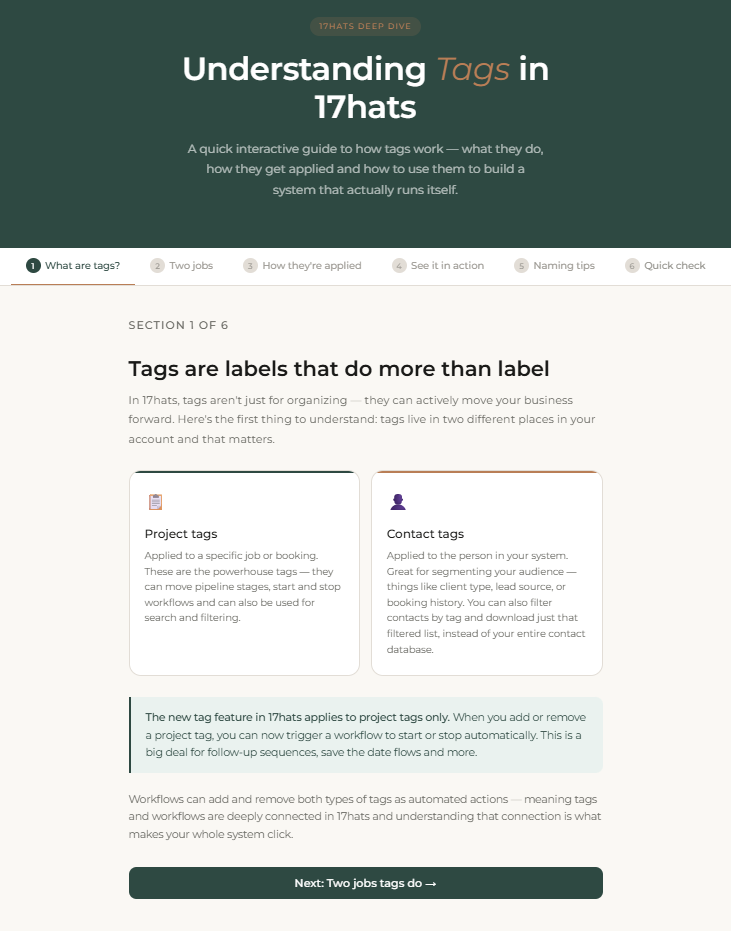
Here's the thing most people don't realize: tags in 17hats can actually do two completely different jobs. And when you don't know which job a tag is doing, your whole system starts to feel messy even when you're doing everything right.
The two jobs of 17hats tags
Tags in 17hats can do one of two things (and sometimes both at the same time.)
Job #1: Automation (Pipelines & Workflows)
With 17hats' newer tag functionality, tags can now start or stop workflows... which is a big deal for your automation setup. This means a tag isn't just a label anymore. It's an action.

Here's how it works in practice: When a project receives a certain tag, say, "contacted", a workflow can automatically kick off... one that might be a follow-up sequence. And when a different tag gets applied, the follow-up workflow can stop.
Thanks to this, you'll no longer have your dashboard cluttered with follow-up emails you might not need. And that tag that started the workflow? It can be applied automatically or manually.
Job #2: Searching & Organization
The second job tags do is way simpler, but just as useful. These are organizational tags. They help you find and filter your contacts later.
Want to quickly find all your corporate accounts? Or your contacts at a specific corporation? Or maybe send a targeted email to repeat customers only? That's where search tags shine.
These tags don't trigger anything, they don't start or stop a workflow and they're typically applied manually. Then they just sit quietly on a contact record and wait for you to need them.
Some examples of organizational tags you might use:
"corporate client" — so you can filter by business accounts
"graduation 2026" — to pull up a specific season's bookings
"repeat customer" — to identify your most loyal clients for a VIP email
"tax exempt" — so your team knows without having to ask you every single time
Why this confusion happens (and how to fix it)
When you have a tag list full of tags with no clear purpose, it's really hard to know what's doing what. You start second-guessing. Are you supposed to apply this tag manually? Will adding it accidentally trigger something? Is this one even still in use?
When you have a tag list full of tags with no clear purpose, it's really hard to know what's doing what.
The fix might be simpler than you'd think: you can name your tags in a way that tells you their job at a glance.
Maybe it's using a naming prefix system like:
"auto-" for tags that start or stop workflows (e.g., "auto-booked", "auto-stop")
"search-" for organizational tags you use for filtering (e.g., "search-corporate", "search-grad-2026")
Or maybe it's using all lowercase for automation tags and UPPERCASE for organizational tags.
Whichever fits your style best, this one small change makes it so much easier to look at your tag list and immediately know what's what. You can always change this later, but starting with clear naming conventions will save you a lot of confusion down the road.
Tags can do both jobs, and that's okay
Here's where it gets a little layered: some tags will naturally serve both purposes at the same time. A tag like "booked graduation" might trigger a workflow AND serve as a way to search your graduation clients later. That's not a problem, that's 17hats working exactly as it should.
The goal isn't to completely separate every tag into one bucket or the other. The goal is to know what each tag does so you're in control of your system, not the other way around.
Managing your 17hats tags
Ok, so now what? If you feel a little overwhelmed by your tag list, here's what I'd suggest:

If you have pipelines in action, go into your pipeline settings so you know which tags are making those happen.
Open the Tag Management section of your account so that you can see how many contacts & projects have each tag applied.
Consider copying & pasting all your tags into a spreadsheet if you feel that's easier to work with
Rename tags that are unclear so their job is obvious.
Merge or remove any tags that don't serve either purpose.
Know that if you merge into a tag that's being used in the pipeline, you those merged projects will then show up in your pipeline.
A cleaner tag setup leads to cleaner automations and better search results. Cleaner automations mean you actually trust your system (which is the whole point), and better search results allow you to learn a lot about your business.
You've got this. And if you want a hand getting your 17hats account sorted out, that's exactly what I help with. View services here.


Comments